Your phone can improve your form.
TrueForm names the exercise, counts the reps and shows you where the movement should go — live, on your device.
Free to start · iPhone · Nothing uploaded
Most people train uncoached.
Coaching works. It's the access that's broken — priced out of reach, or inside a room people would rather not walk into.
An hour with a trainer
What a single session costs. Few people can do that every week, and the ones who can still train alone most days.
Too self-conscious for the gym
Of people who don't exercise regularly, more than two thirds say they feel too self-conscious to set foot in one.
Train at home instead
Against 28% who train in a gym — unwatched, uncorrected, with no way to know whether a rep was any good.
Sources: OnePoll, 2023 · CivicScience, 2023.
The tools that exist fix one slice of coaching — the form, or the plan, or the log. TrueForm goes after the loop: it watches the rep, counts it, scores it, tells you what to change while you can still change it, and keeps the record.
Six things on screen. Nothing to tap.
This is the whole interface during a set. It's sized to be read from across the room, not held in your hand.
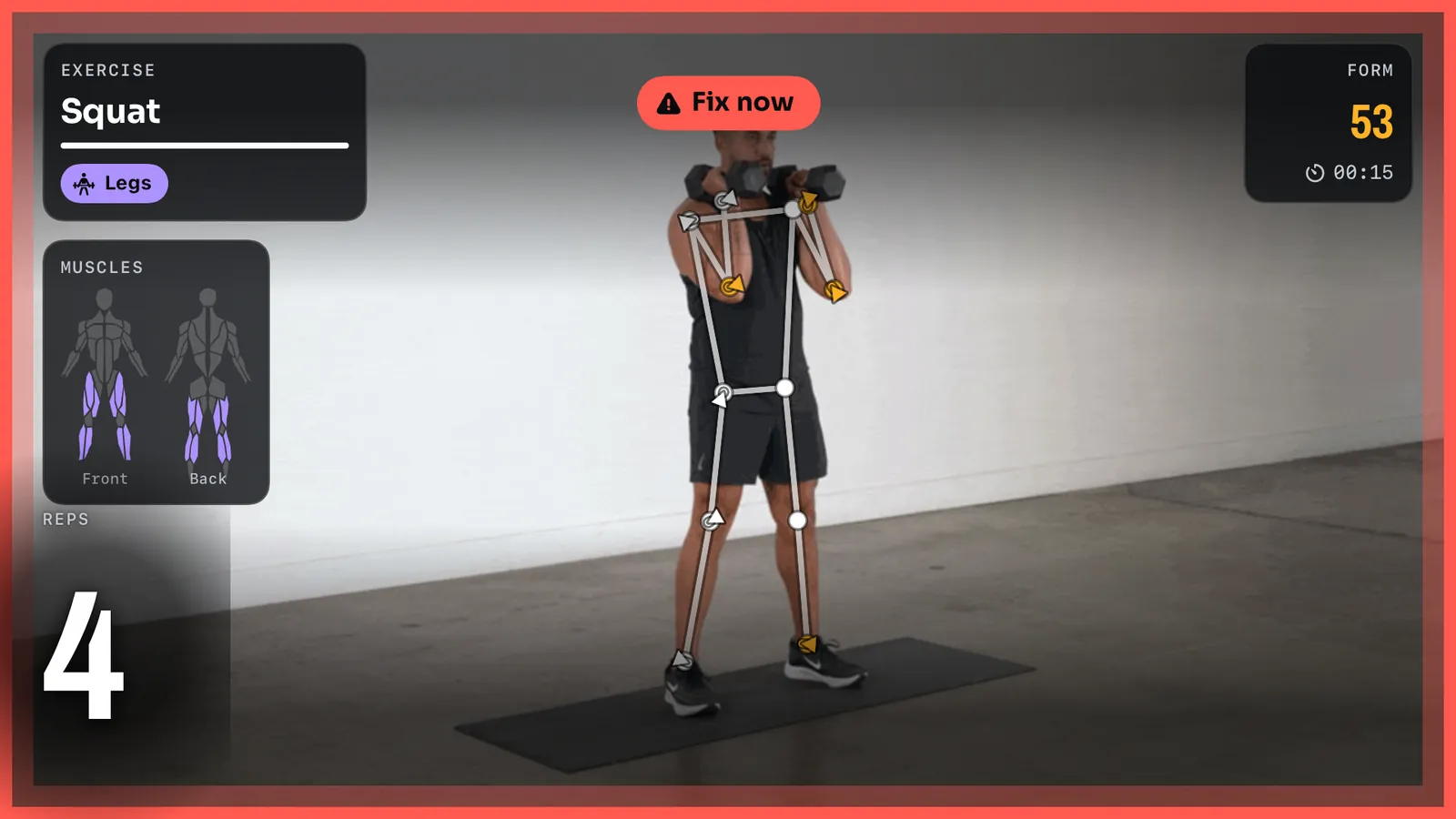
You prop the phone up. It handles the rest.
No menus. Just start moving.
TrueForm watches the movement and works out what you're doing. The exercise name appears with a confidence bar, so you can see how sure it is — and if you're running a plan and it thinks you've started something else, it says so rather than silently switching.
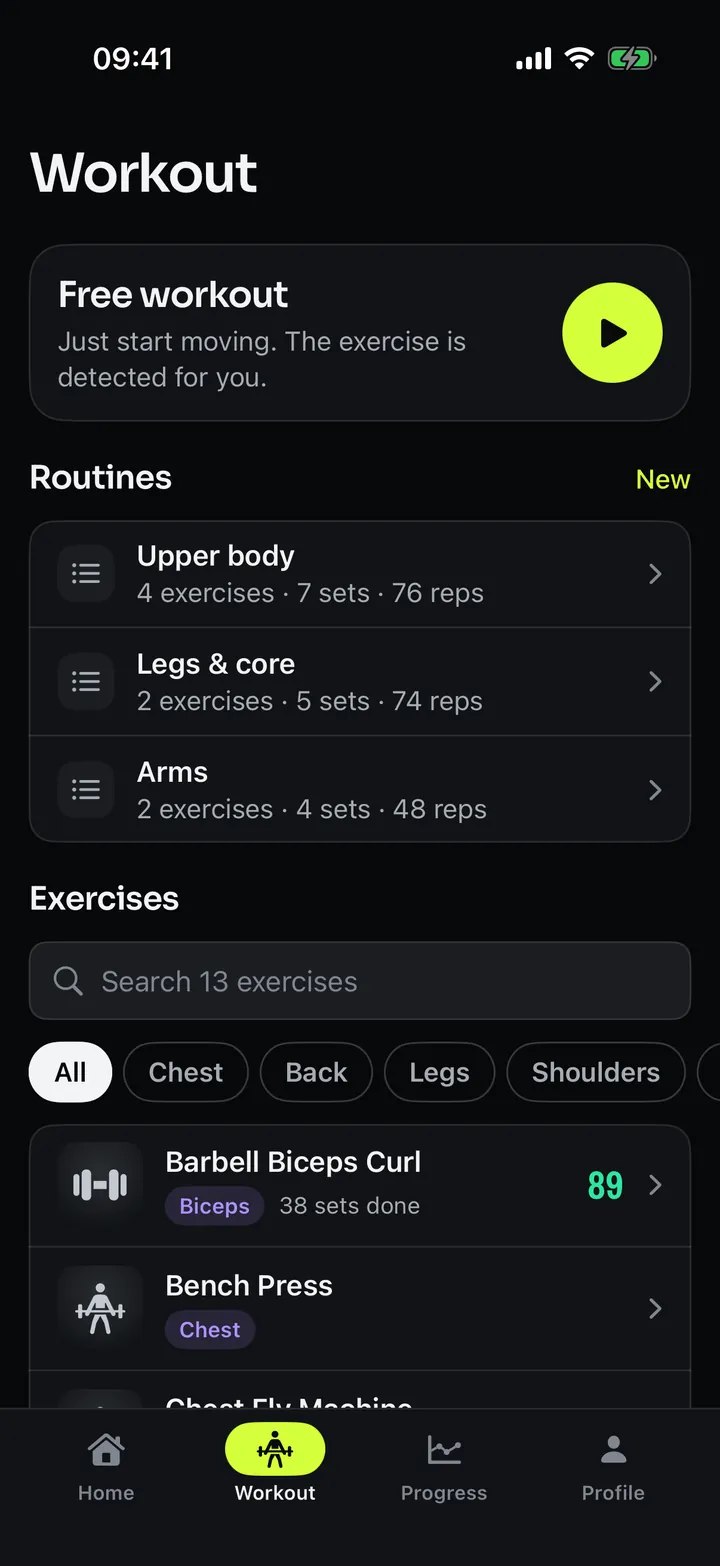
13 exercises today, across 8 muscle groups.
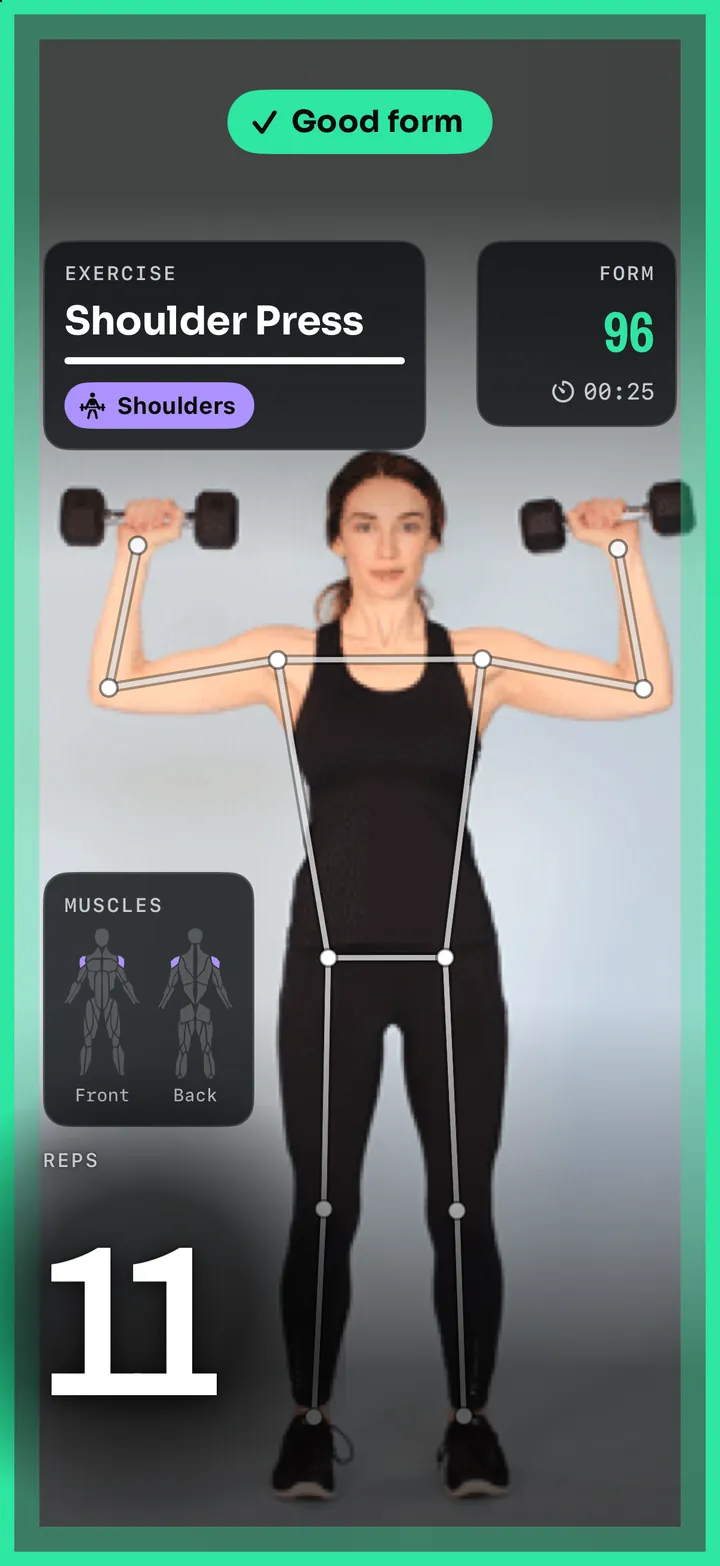
Stop counting. Start lifting.
The rep count pops on every rep, big enough to read from where you're standing. During a routine it shows your target too, so you know where you are without thinking about it.
A rep only counts once the movement is actually finished, so half reps and bouncing don't inflate the number.
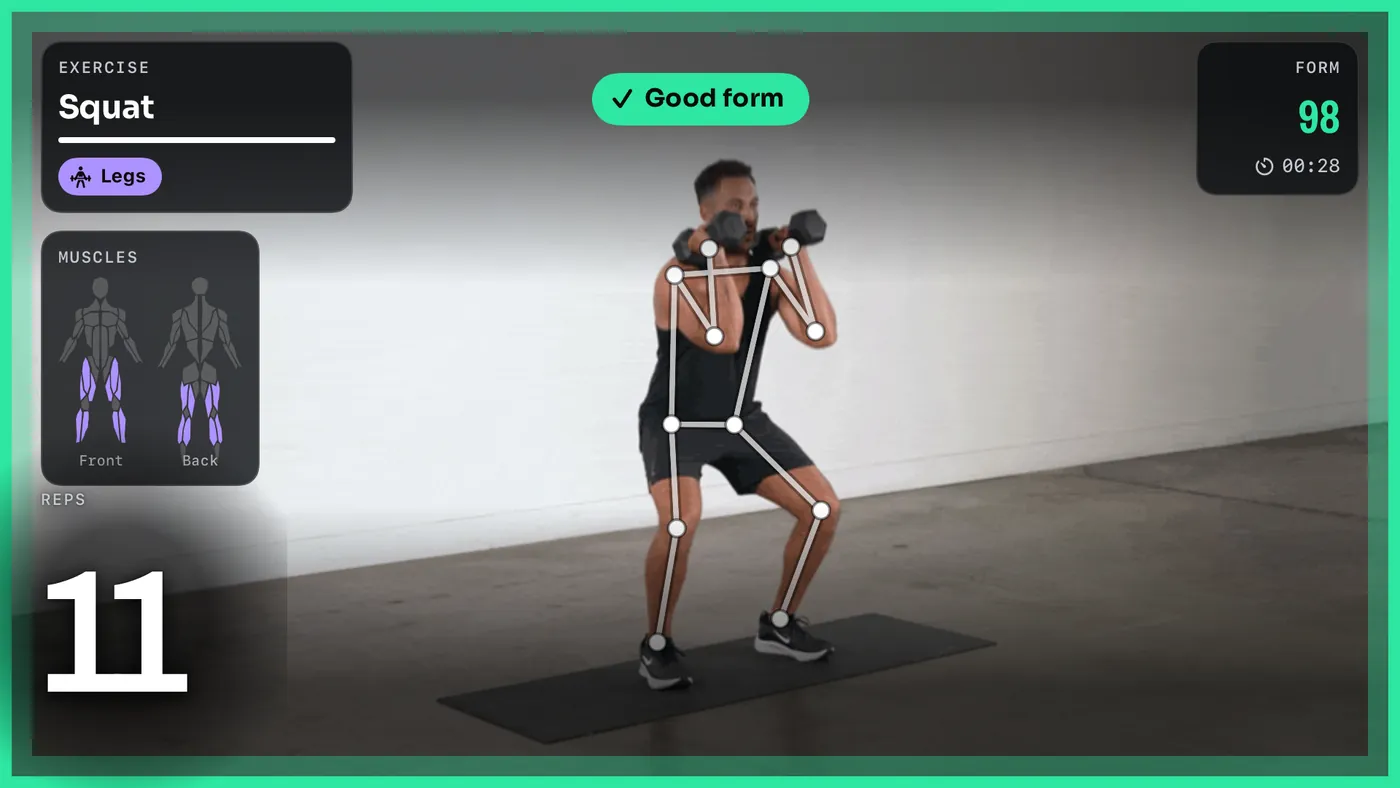
A number you can actually chase.
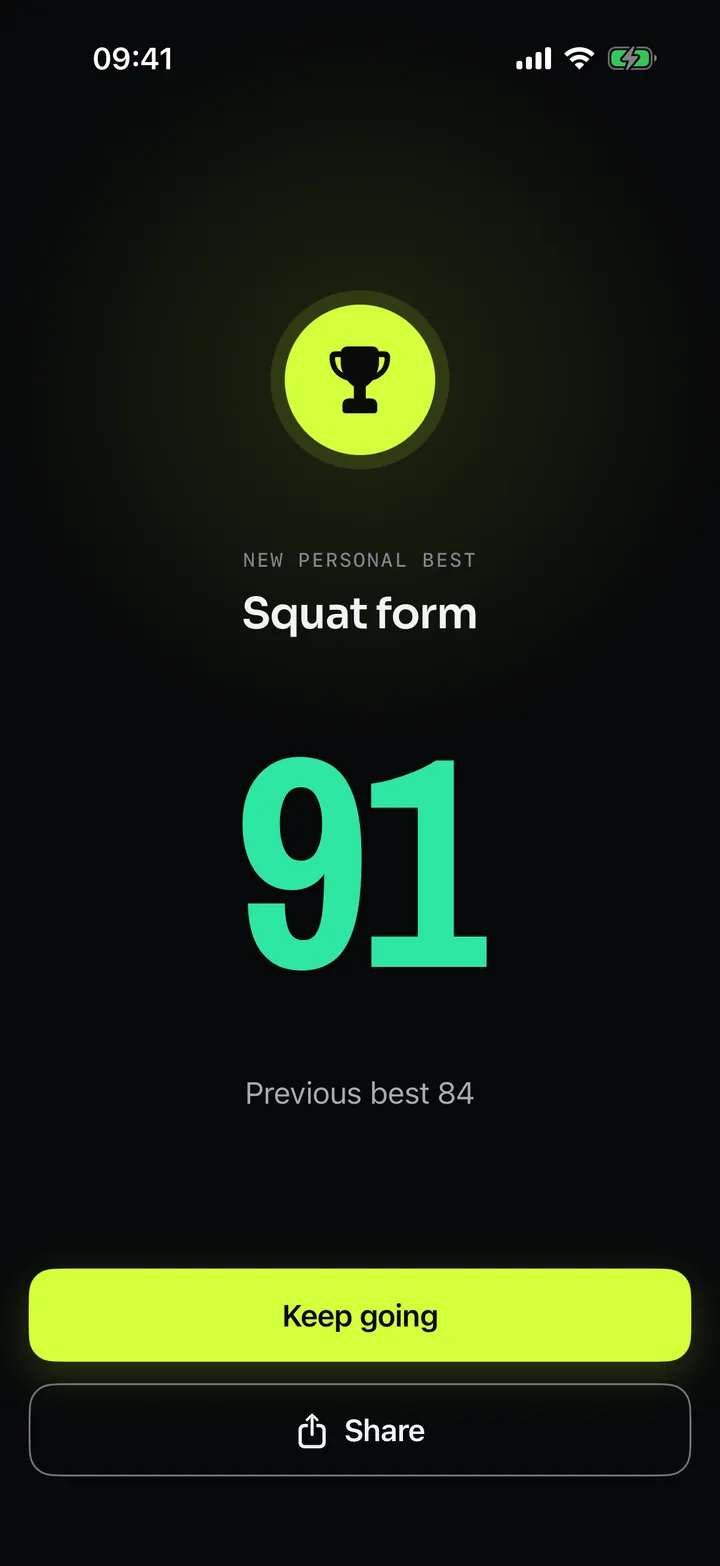
Every set gets a Form score, and a Reps score when you've set a target, then an Overall. 75 and up is green, 25 to 74 is amber, under 25 is red. It appears on the rest screen with the countdown, while you're getting your breath back.
Thumbs up to move on.
Your phone is 3 metres away and your hands are chalky. When you're ready for the next set, give the camera a thumbs-up and the rest screen advances. You never walk over to the phone during a workout.
Routines are ordered exercises with sets and rep targets, a rest countdown between them, and a "next up" so you know what's coming.
Three steps, every frame, on the phone.
About 100 ms from camera frame to feedback on screen. No cloud round trip, no inference server. Here's the actual pipeline.
Pose extraction
The phone reads the camera and follows how your body is moving, frame by frame. The picture itself is discarded as it goes.
Form analysis
On-device models work out what you're doing, which muscles are working, and where your form is drifting.
Live feedback
Arrows drawn straight onto the body, reps counted, the verdict averaged over about a second.
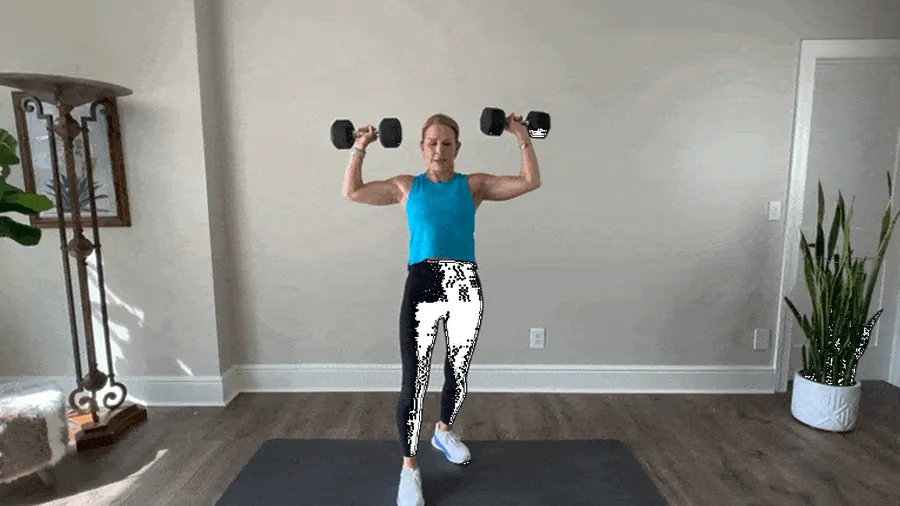
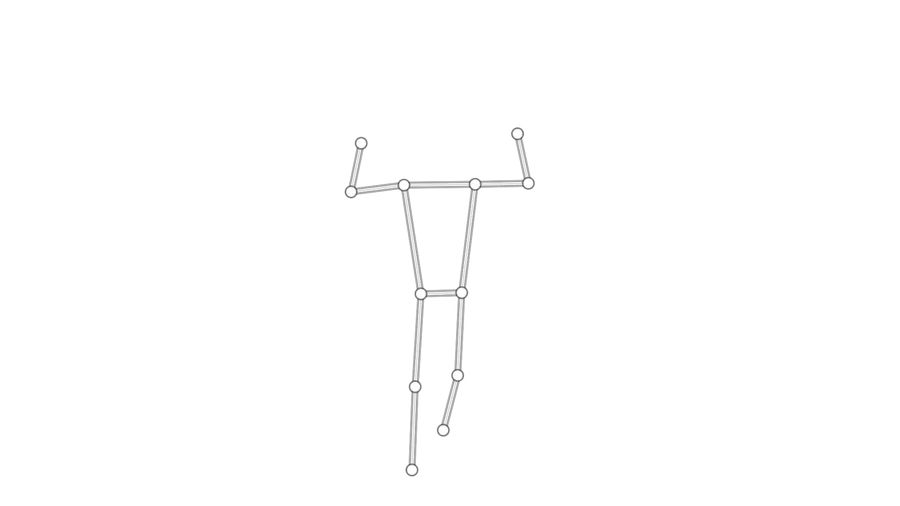
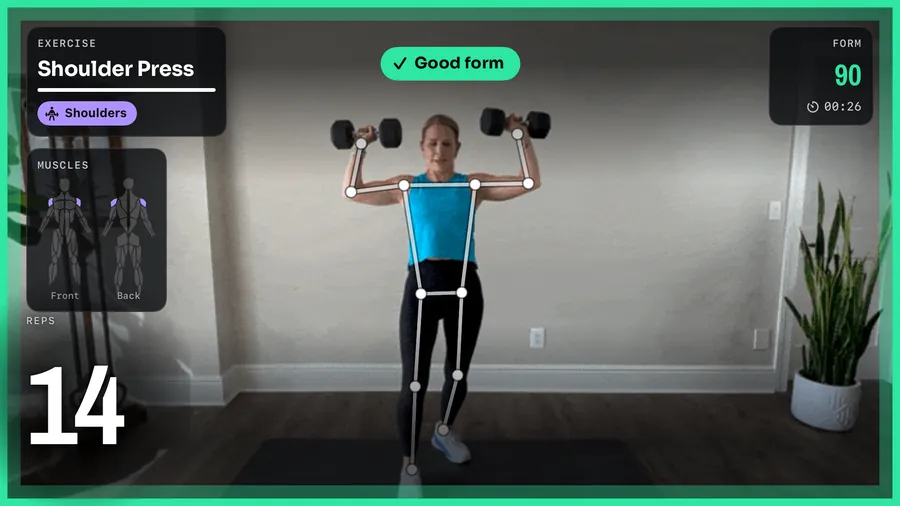
TrueForm judges movement, not a snapshot. A still image of someone at the bottom of a squat tells you almost nothing; a second of them getting there tells you everything. So what the app reads is the movement, not a pose frozen at one instant.
The verdict is steady on purpose. A reading that changed every frame would flicker and contradict itself while you're mid-rep, which is worse than useless when you're trying to read it from 3 metres away.
And all of it runs on your iPhone. Nothing is sent anywhere for a server to look at, which is why it keeps working when the gym Wi-Fi doesn't.
Your camera never leaves your phone.
On-device AI
Every model runs on your iPhone.
No video, ever
Camera frames are processed and discarded. Nothing is recorded, stored or uploaded.
Works with no signal
Your workout doesn't need a connection. Only your profile, routines and results sync, so they're on every device.
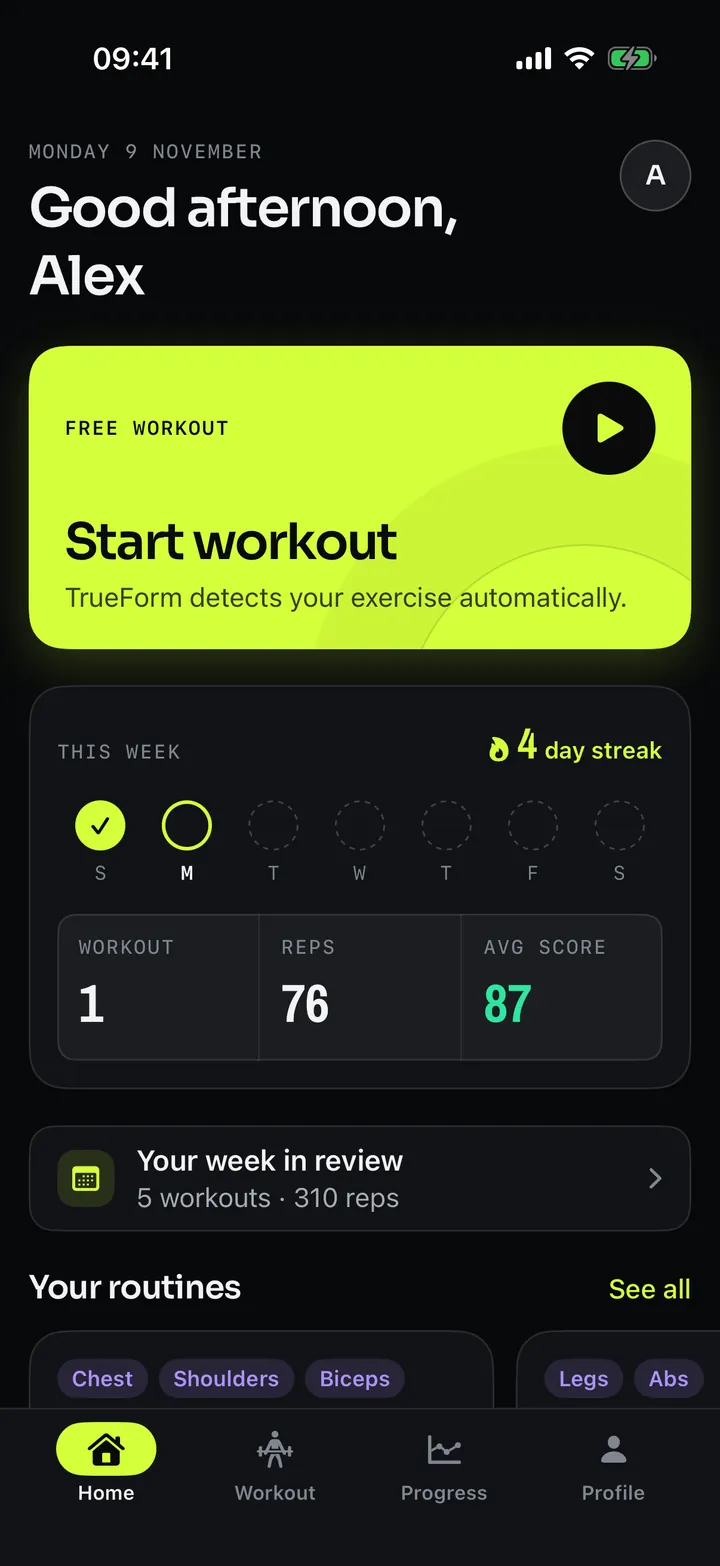
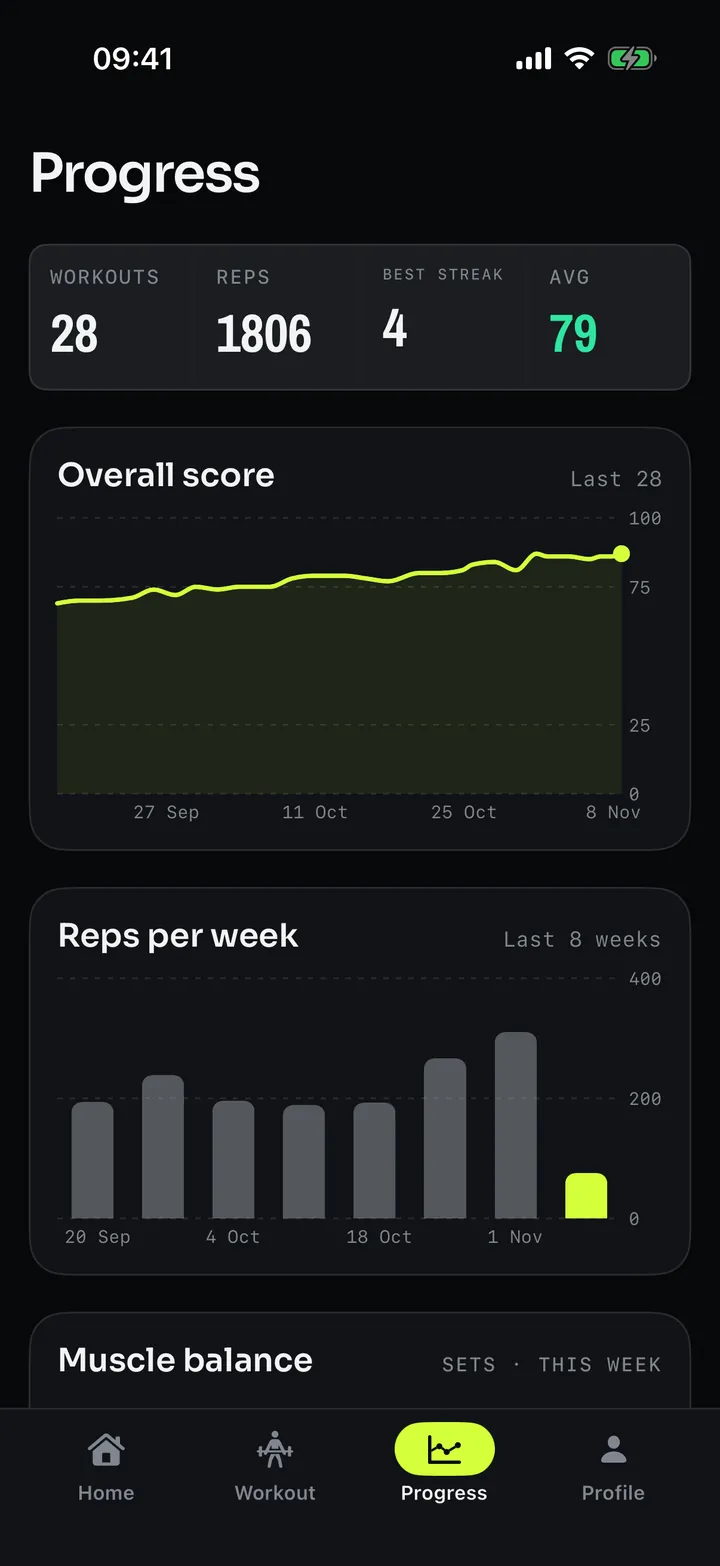
It remembers, so you can see it working.
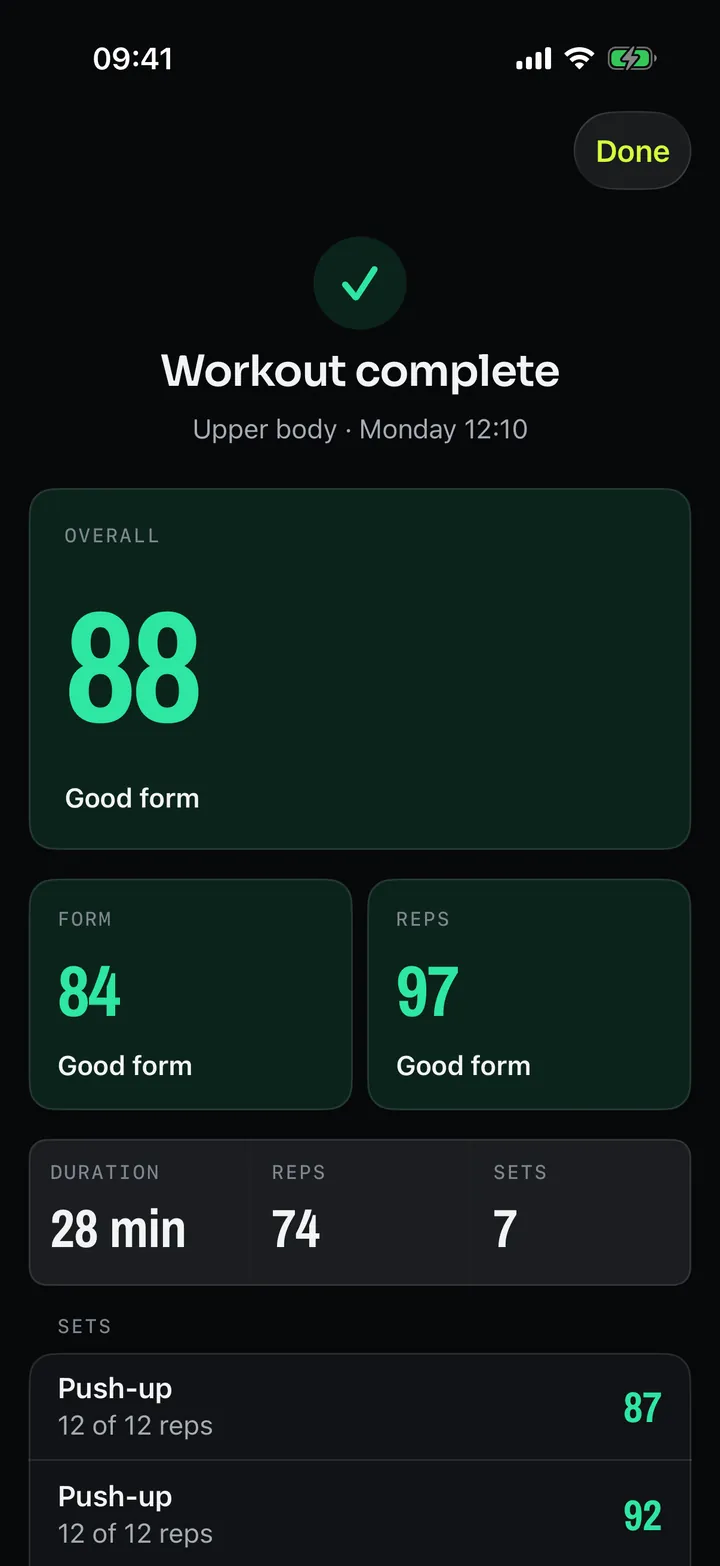
The payoff of a form coach is a line going up. Every set you do is scored and kept, so the trend is there whether or not you went looking for it.
What you actually need.
Prop your phone up
Against a water bottle, a bench, a dumbbell. Whatever's there.
Step back 2–3 metres
Far enough that your whole body is in frame.
Start moving
That's it. The exercise is detected for you.
13 exercises today, across 8 muscle groups.
More coming — beta testers get a say in which. Here's exactly what's in the app right now, so nothing surprises you after you install it.
- Bench press
- Chest fly machine
- Push-up
- Deadlift
- Squat
- Shoulder press
- Lateral raise
- Barbell biceps curl
- Tricep pushdown
- Tricep dips
- Hip thrust
- Leg raises
- Russian twist
Reps are counted on most of these. Russian twist is a rotation rather than a flexion, so it isn't a movement the rep counter can resolve — it's scored on form only.
One founder, and a gap he kept running into.

“I've trained seriously for years and felt firsthand the gap between what a good coach gives you and what most people ever have access to. We're building the infrastructure to close that gap permanently.”
Yasine Tawfeek
Founder & CEO
- Three years shipping production ML for Fortune 500 clients as a lead forward-deployed AI engineer.
- IEEE-published researcher in deep reinforcement learning for autonomous control.
- $7B+ in financial flows running through an agentic forecasting CRM he built and scaled.
- 40 people led on the most established autonomous racing team in the south west of England.
Point your camera at yourself.
TrueForm is in TestFlight beta. Testers get it free while it's in beta, early access to everything we ship, and a direct line for telling us what to build next — the exercise list especially. It is early software, and it will have rough edges.
Free to start · iPhone, iOS 17+ · Nothing uploaded
We'll email you a TestFlight invite and nothing else. Your address
is used for the beta invite only.
TrueForm gives general fitness guidance, not medical advice.
The things people actually ask.
Does it work at home as well as the gym?
Yes. The only requirement is enough room for the camera to see your whole body — about 2 to 3 metres back. A front room works as well as a commercial gym floor.
Do I need a tripod?
No. Prop the phone against whatever's nearby — a water bottle, a bench, your gym bag — and step back 2 to 3 metres. There's a setup check in the app that tells you when your whole body is in frame.
Does it record me?
No. Camera frames are processed live and discarded. Nothing is recorded, stored or uploaded. The AI runs on your iPhone, so the video has nowhere to go.
Does it need internet?
Not to train. The whole coaching loop runs offline. A connection is only used to sync your profile, routines and results so they're on every device you sign in to.
What if it gets the exercise wrong?
It shows you what it thinks you're doing, with a confidence bar, so you can see when it's unsure. If you're running a plan and it disagrees with what's next, it pauses and asks — "that looks like a squat, your plan says deadlift" — rather than silently switching.
Is it accurate enough to trust?
Think of it as a second pair of eyes on the joints it tracks, not a verdict on your technique. It's good at catching the obvious things — a knee caving in, a rep that didn't reach depth — on the 13 exercises it knows, and it tells you how confident it is rather than pretending to certainty.
It doesn't know your injury history, it can't see your breathing or your bar path from behind, and it won't programme your training. It's the feedback a trainer would give you on the rep in front of them, not a replacement for one.
Is it free?
Free to start, and free for everything while it's in beta.
Is there an Android version?
Not yet. TrueForm is iPhone, iOS 17 or later.
Is this medical or physio advice?
No. TrueForm gives general fitness guidance, not medical advice. It isn't a medical device and it isn't a substitute for a doctor or a physiotherapist.